Mastering the Remote Onboarding Process: Setting New Hires Up for Success
You only get one first impression.
Onboarding remote employees shouldn’t feel like troubleshooting a tech puzzle on Day 1—but for many IT and HR teams, that’s the reality. The remote onboarding process often breaks down at the most critical moment: when new hires are forming their first impressions of your company.
Whether it's a VPN error, delayed software install, or forgotten credentials, these friction points can damage productivity and morale from the start.
Companies with strong onboarding improve new hire retention by 82% — Glassdoor

And yet, even in 2025, remote and hybrid onboarding remains a challenge. Without the right tools and process, distributed teams can struggle to give employees the confident start they deserve.
🔍 What Is Remote Onboarding—And Why Is It So Complex?
Remote onboarding refers to the entire journey of bringing new hires into your company when they’re working from home or a different location. It goes far beyond HR paperwork and welcome emails.
A successful remote onboarding process includes:
- ﹒ Delivering laptops and preconfigured hardware
- ﹒ Installing essential software, communication tools, and security protocols
- ﹒ Providing secure access to company systems
- ﹒ Offering real-time technical support during setup
- ﹒ Building early confidence through fast, friendly help
Without in-person support, IT onboarding becomes the most fragile link—and it’s often where new employees feel the most lost. That’s why remote onboarding requires not only careful planning—but also the right tools to deliver real-time, cross-border IT support.
How RemoteCall Simplifies the Remote Onboarding Process
💡 Remote onboarding starts with IT—and RemoteCall makes IT support seamless.
RemoteCall helps IT teams deliver secure, real-time device setup for remote and hybrid employees anywhere in the world. It replaces confusion with clarity and gets new hires ready to work from Day 1.
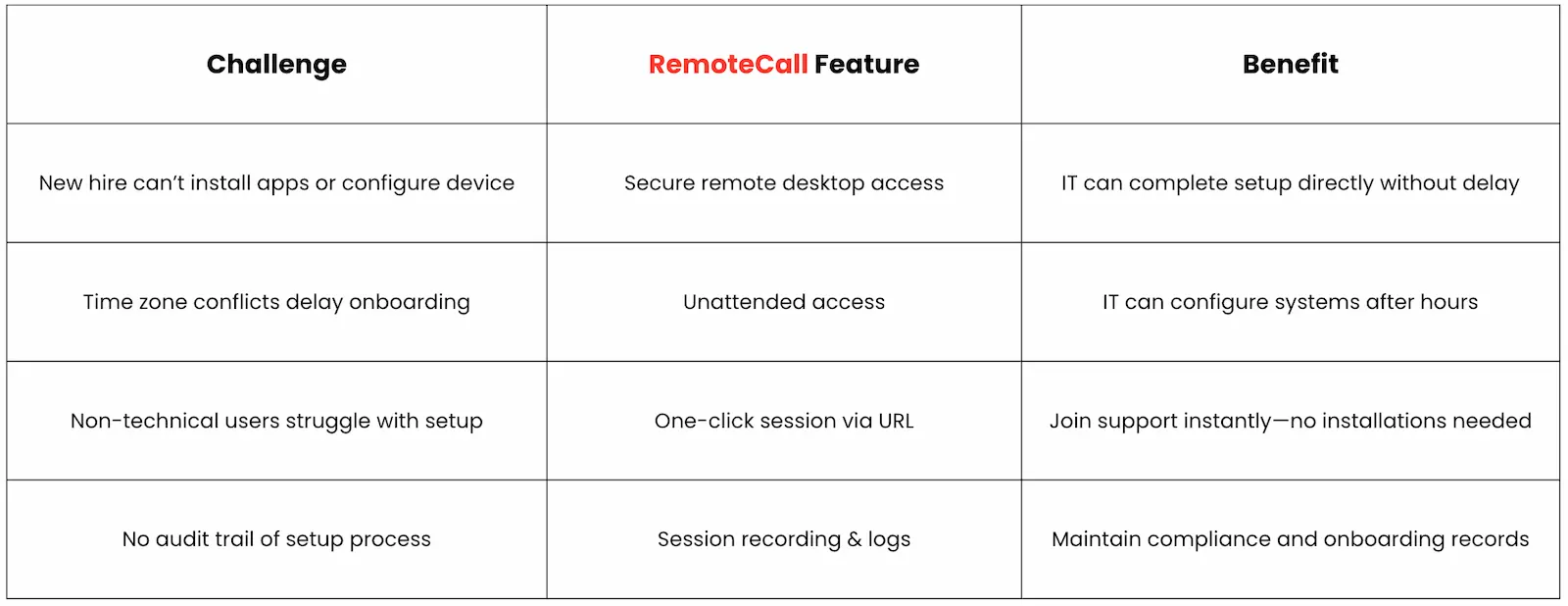
Here’s how RemoteCall removes friction from remote onboarding:

🎯 With RemoteCall, IT support becomes a strategic part of your remote onboarding workflow—not a bottleneck.
A Global Remote Onboarding Use Case
Case: A Fintech Company Onboarding Across Borders
A new hire in New York joins a London-based fintech firm. She receives her laptop ahead of schedule, but can’t access internal systems due to VPN configuration errors. Instead of waiting for the next business day, the IT team uses RemoteCall unattended access to diagnose the issue overnight. By morning, the device is updated, secured, and fully configured—including Slack, endpoint protection, and access to internal tools.
She logs in confidently on her first day—no delays, no frustration.
How RemoteCall Complements HR & Onboarding Platforms
RemoteCall isn’t a replacement for your HR onboarding systems. Instead, it works alongside them to solve the technical side of onboarding—where IT setup, device troubleshooting, and remote configuration are essential.
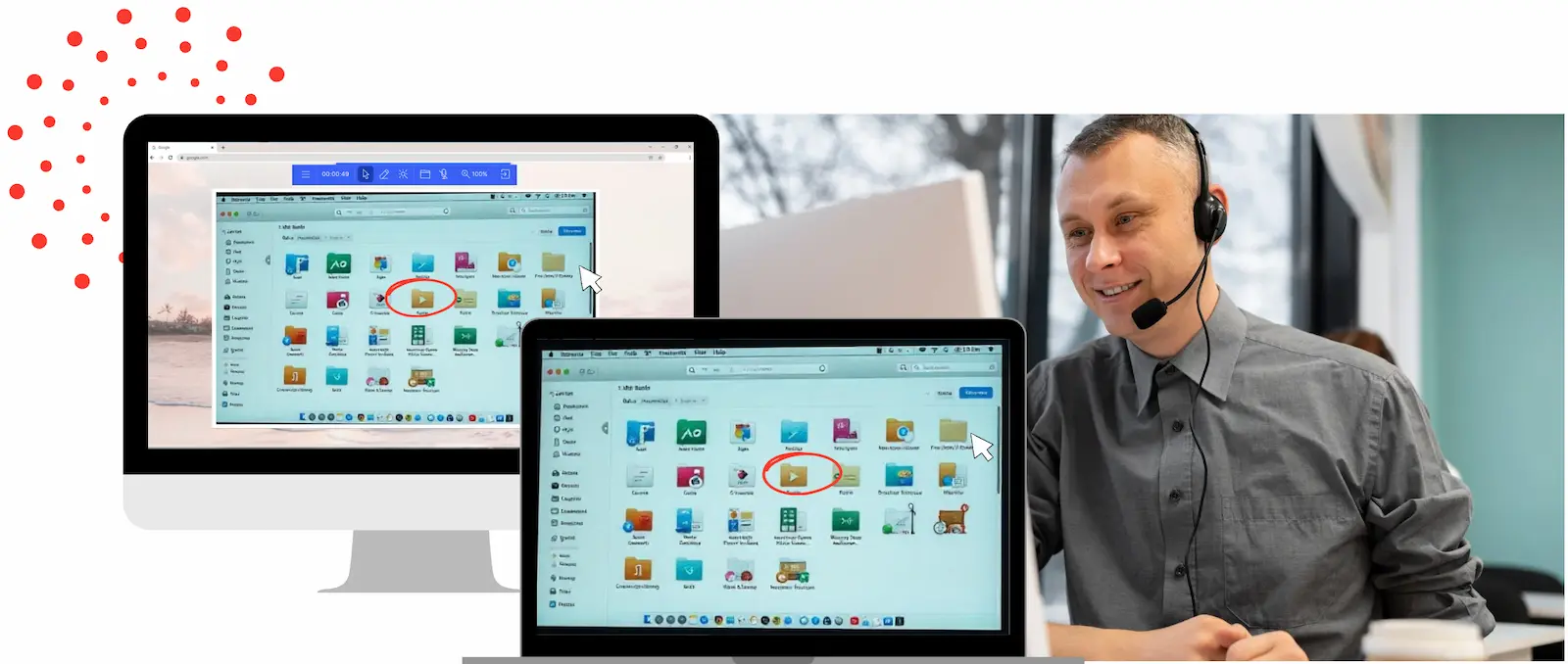
With RemoteCall, you can:
- ✓ Pre-configure devices before delivery
- ✓ Resolve setup issues via one-click remote sessions
- ✓ Store logs for compliance and auditing
- ✓ Extend your onboarding workflow into IT territory without overcomplicating it
You don’t have to rip and replace—just enhance what you already use.
🚀 Give Your New Hires a Confident Start—From Anywhere
Whether you're onboarding 5 or 5,000 employees, RemoteCall helps you:
- ✓ Reduce IT resolution time during onboarding
- ✓ Build trust with new hires
- ✓ Maintain audit-ready records
- ✓ Support global teams in real time
Transform Your Support. Connect with RemoteCall.
Want to know more about RemoteCall?
- Explore Industry Use Cases → [Explore Case Studies by Industry ]
Don't let outdated remote support tools hold your team back. Join thousands of organizations worldwide who've chosen RemoteCall to deliver the instant, secure, and seamless support experiences their customers demand.
IT Leadership How about this article?