

Other

Kakao Entertainment


Kakao Entertainment

“Anywhere office—whether on different floors or in different regions, support is always within reach.”

- Manager, Infrastructure Operations Team


Industry Entertainment & Digital Content Services
Products RemoteCall PC Support
Usage Remote troubleshooting for employee PCs and systems

Kakao Entertainment is a global entertainment company creating world-class stories and cultural phenomena across markets. With K-pop, TV & film, and webtoons under one roof, we integrate storytelling, cutting-edge production, and top-tier talent management to shape the future of global entertainment.

Explore All-new Worlds of Entertainment

The Kakao Entertainment Infrastructure Operations Team is responsible for enterprise-wide network and endpoint hardware and software support. Previously, the team relied on the remote support feature within its security solution; however, persistent connection instability often made remote troubleshooting impractical, requiring frequent on-site support at employees’ desks.

Key Challenges

  • Need to improve efficiency in enterprise-wide software and hardware installation and maintenance
  • Increased support workload due to varying levels of IT proficiency among employees, particularly in navigating security systems and procedures
  • Growing operational burden caused by connection instability in the previously used remote support function
  • Delays in support response time due to complex remote access procedures
  • Demands for remote support to address PC and system issues for employees working from home

How RemoteCall Reduced IT Support Burden

After adopting RemoteCall, the team was able to establish stable remote connections instantly and guide employees through a simplified access process. IT administrators can now remotely access and control employee PCs in real time to perform software installations, system inspections, troubleshooting, and authentication-related support—without the need for on-site visits.
The team particularly highlights the Agent Screen Control feature, which allows support agents to reverse the control direction and share their own screen during a remote session.This is especially useful when demonstrating configurations or when an issue occurs only on an employee’s PC. Agents can share their screen and transfer control, enabling employees to test procedures directly before applying changes to their own systems. This interactive approach improves understanding and reduces repeated support requests.
This shift significantly reduced response times, minimized downtime, and improved overall infrastructure management efficiency. It also enabled seamless support for remote and hybrid employees, ensuring uninterrupted operations across offices, floors, and regions.

Key Changes

  • Significant Time Savings: Previously, resolving issues required both troubleshooting time and physical travel between desks or buildings—approximately 5 minutes for problem resolution plus 15 minutes for travel. With RemoteCall, most issues can now be resolved remotely in about 5 minutes total, reducing resolution time by up to 75% per incident.
  • Improved IT Support Productivity: By eliminating travel time, the same IT team can handle substantially more support requests per day—without increasing headcount. Employees across different floors and office buildings receive immediate assistance without requiring IT staff to move between locations.
  • Enhanced Understanding: By viewing screens in real time while explaining issues, IT staff can clearly demonstrate causes, processes, and solutions. This visual approach helps employees better understand the problem and reduces repeated inquiries.
  • Secure Remote-Work Readiness: With RemoteCall’s enterprise-grade security architecture, the organization confidently supported remote and hybrid employees. End-to-end encryption, strong authentication, and controlled access protected sensitive systems and devices during remote sessions. As a result, the Infrastructure Operations Team delivered secure and stable remote support without compromising security standards or operational continuity.

Results Achieved with RemoteCall PC Support

After adopting RemoteCall, the team was able to establish stable remote connections instantly and guide employees through a simplified access process. IT administrators can now remotely access and control employee PCs in real time to perform software installations, system inspections, troubleshooting, and authentication-related support—without the need for on-site visits.
The team particularly highlights the Agent Screen Control feature, which allows support agents to reverse the control direction and share their own screen during a remote session. This is especially useful when demonstrating configurations or when an issue occurs only on an employee’s PC. Agents can share their screen and transfer control, enabling employees to test procedures directly before applying changes to their own systems. This interactive approach improves understanding and reduces repeated support requests.

This shift significantly reduced response times, minimized downtime, and improved overall infrastructure management efficiency. It also enabled seamless support for remote and hybrid employees, ensuring uninterrupted operations across offices, floors, and regions.

Key Changes

  • Significant Time Savings: Previously, resolving issues required both troubleshooting time and physical travel between desks or buildings—approximately 5 minutes for problem resolution plus 15 minutes for travel. With RemoteCall, most issues can now be resolved remotely in about 5 minutes total, reducing resolution time by up to 75% per incident.
  • Increased Support Efficiency: Employees across different floors and office buildings receive immediate assistance without requiring IT staff to move between locations. By eliminating travel time, the same IT team can handle substantially more support requests per day—without increasing headcount.
  • Enhanced Understanding: By viewing screens in real time while explaining issues, IT staff can clearly demonstrate causes, processes, and solutions. This visual approach helps employees better understand the problem and reduces repeated inquiries.
  • Secure Remote-Work Readiness: RemoteCall’s enterprise-grade security enabled secure remote support for hybrid and remote employees. End-to-end encryption and controlled access protected sensitive systems and devices. This ensured business continuity without compromising security standards.
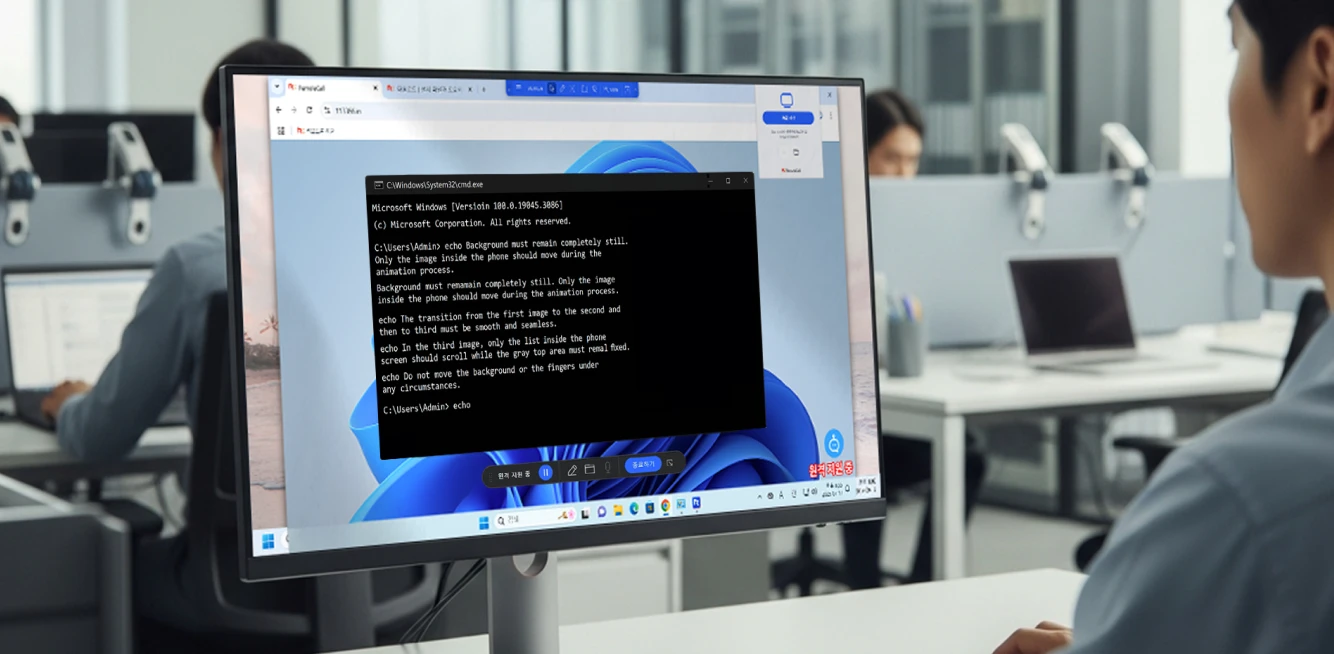
RemoteCall remote PC support service screen for Kakao Entertainment

RemoteCall Takeaways

  1. Simplified Access: URL-based entry with streamlined authentication enables fast and seamless support initiation
  2. Visual Troubleshooting: Real-time screen sharing improves employee understanding of root causes and resolutions
  3. Multi-Location Support: IT teams can deliver consistent support across floors, buildings, and regions without geographic limitations
  4. Bidirectional Control: Agent Screen Control allows control to be transferred in either direction, enabling hands-on testing and configuration guidance
  5. Stable Performance: Reliable connections ensure remote sessions remain secure and uninterrupted